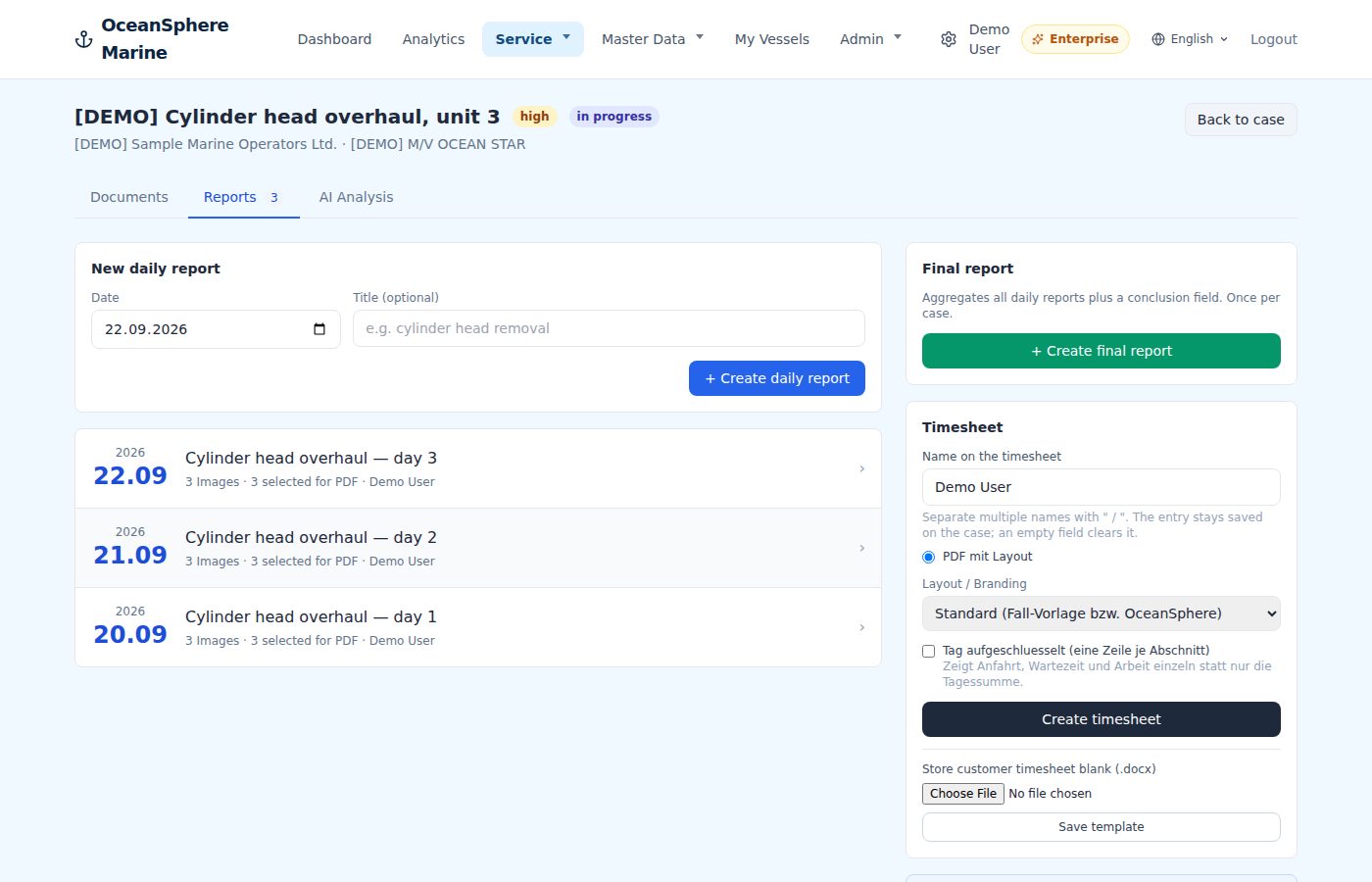
Daily & final reports
Hours, photos and notes become the PDF the customer signs.
One entry per day with time entries, break, photos and notes. Mark the photos, choose the layout, and the daily or final report is ready before the technician leaves the vessel.
- Time entries with travel, work and break
- Photos marked for the report, captions included
- Timesheet PDF with the customer's name on it
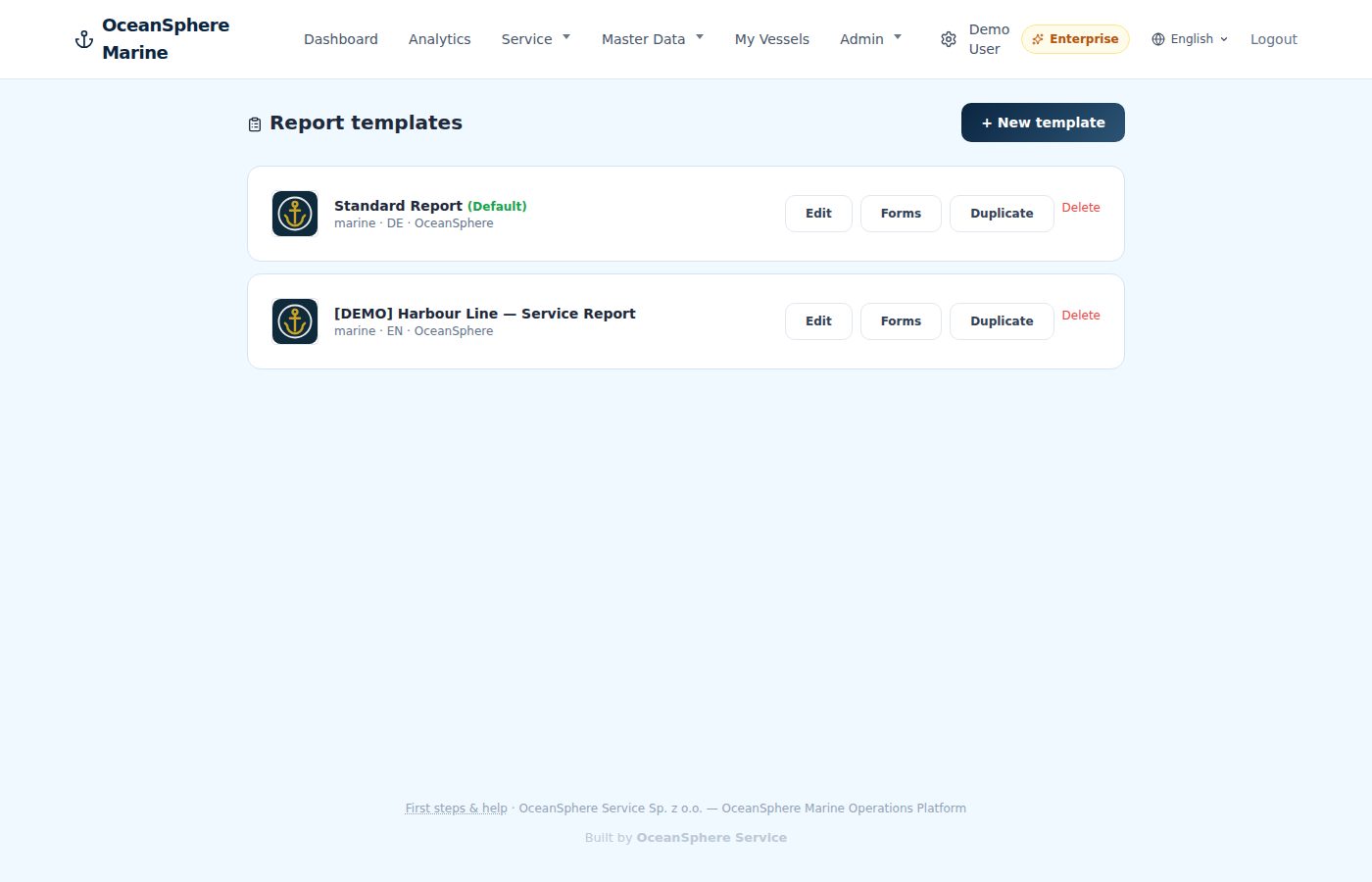
Report templates
Your logo, your forms, one template per customer if you like.
Templates carry branding, cover page and the forms that belong to a job type. Duplicate one for a customer who wants their own layout.
- Branding and cover per template
- Forms uploaded once, filled per case
- Duplicate, edit, set as default
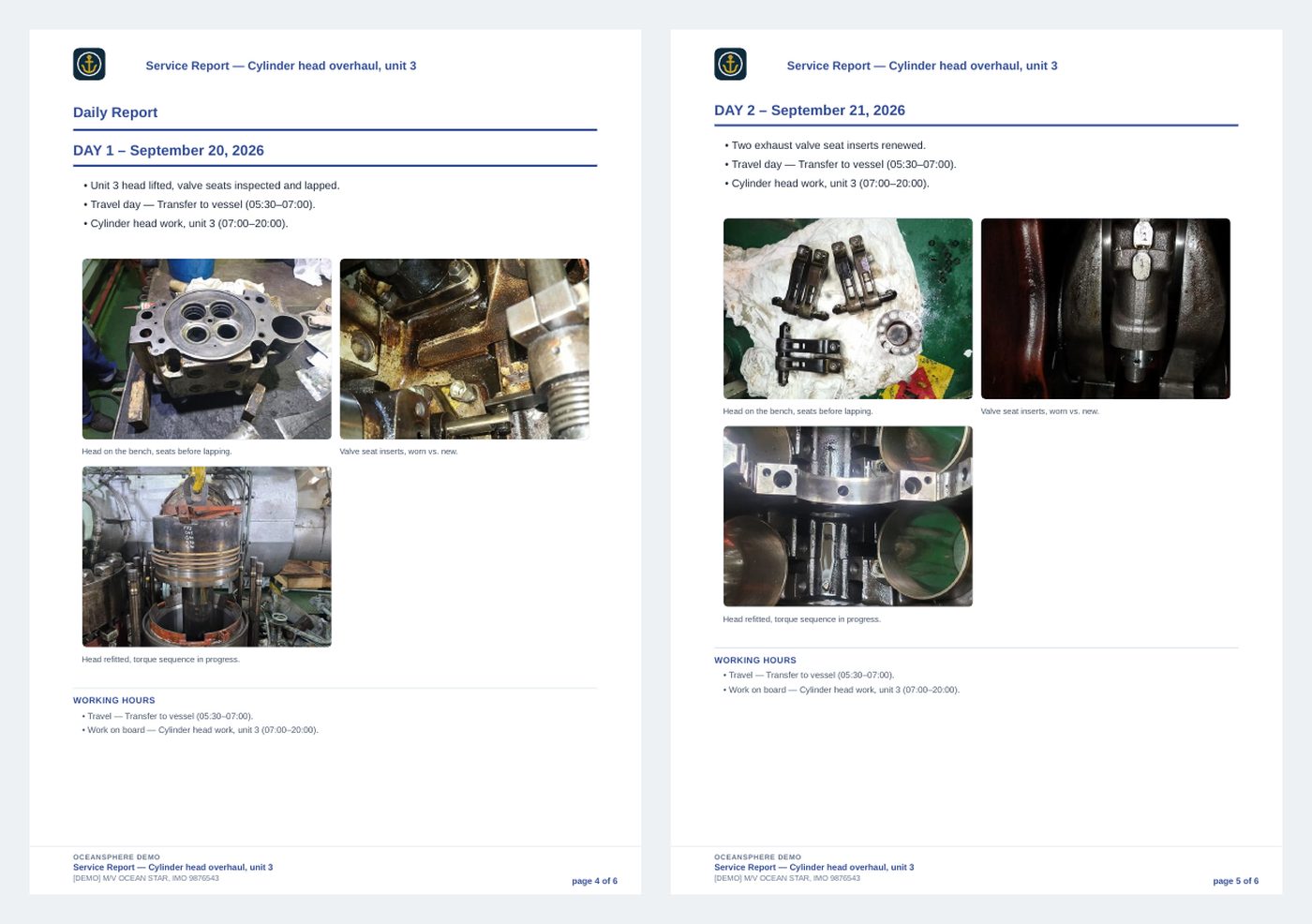
Service report builder
Measurements, class limits and photos in a report that reads like an engineer wrote it.
Measurements are entered or read from a photo of the sheet, checked against the class limits of the engine type, and placed in the report with the pictures. Export as PDF or Word.
- Measurement tables with limits per engine type
- Photos placed in the section they belong to
- PDF and Word export
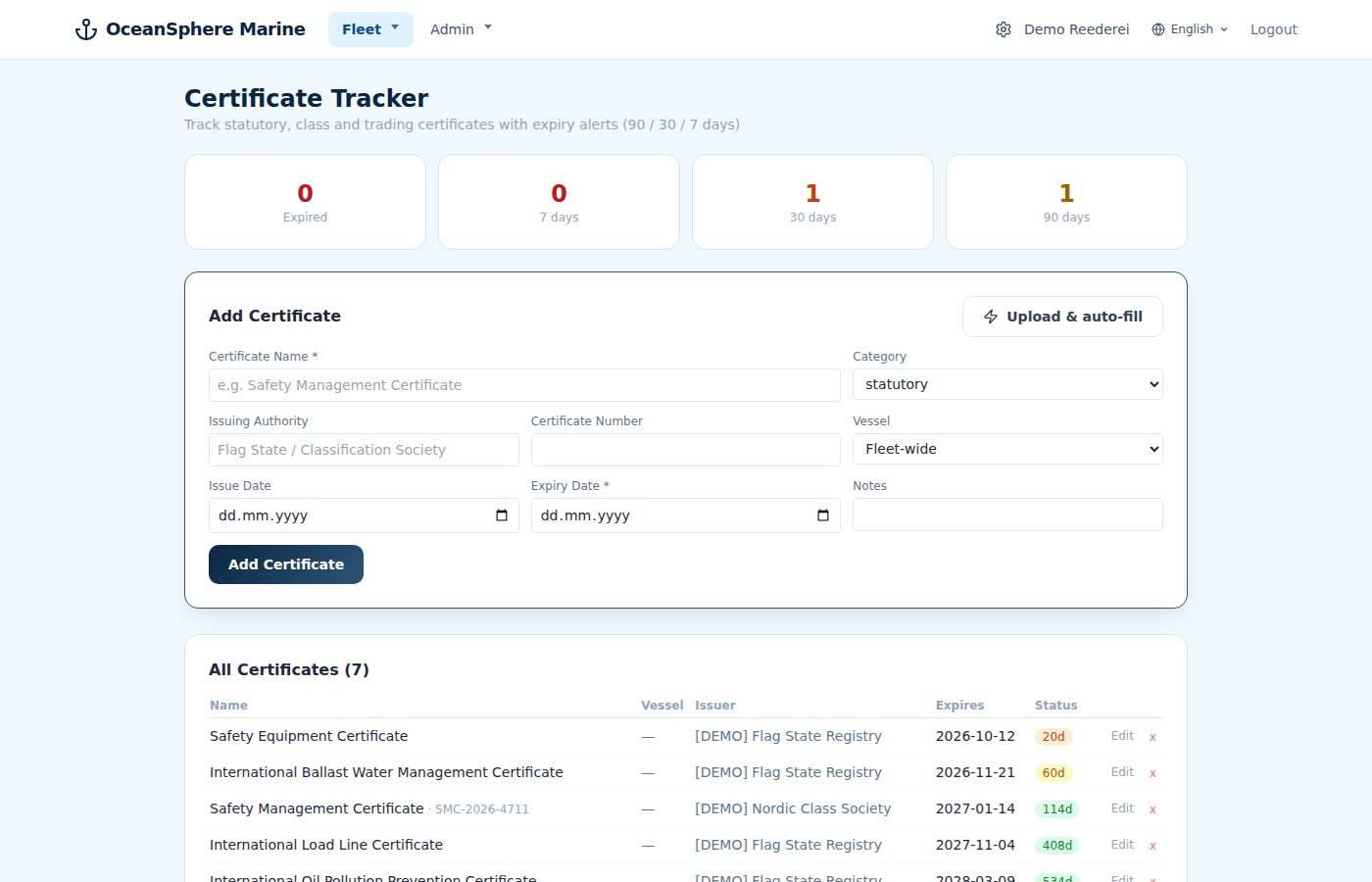
Certificates
Upload the certificate, the fields are read for you, the expiry is watched.
Safety Management Certificate, class certificate, technician papers. Uploaded once, extracted automatically, reviewed by you, then tracked with alerts at 90, 30 and 7 days.
- Automatic field extraction from PDF or photo
- Review before saving, nothing is stored blind
- Expiry alerts at 90, 30 and 7 days
Customer portal
Customers see their own vessels and reports, nothing else.
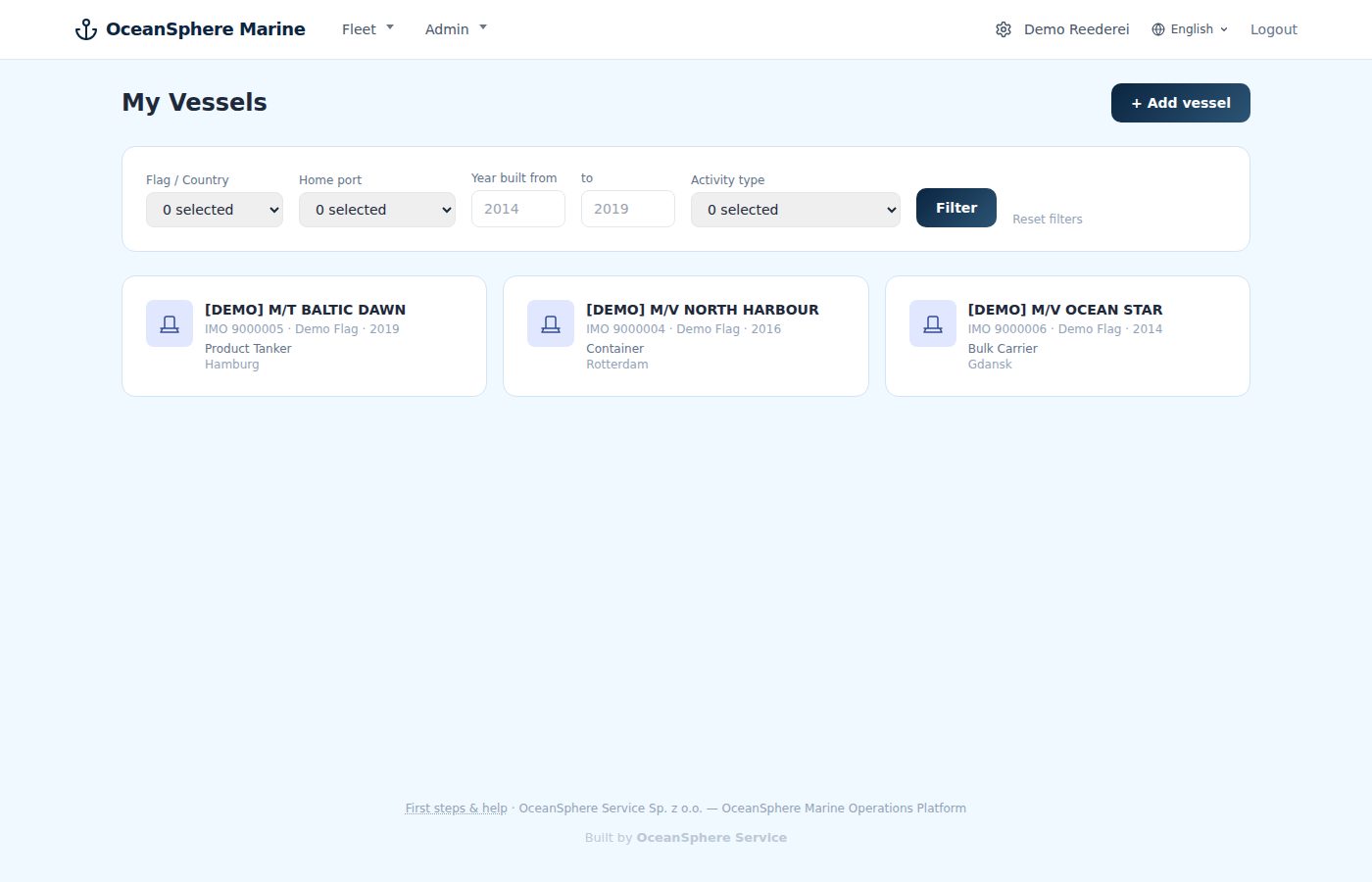
A shipowner logs in and finds the vessels you service for them, with the reports and certificates you have released. No email chains, no attachments lost.
- Vessels filtered to the customer's own fleet
- Released reports and certificates only
- Read access, no editing